S
solutions.studio6h
Views
54K+41%
Revenue
$13K+88%
ByteDance's newest image model for ads: labels and small print that stay legible, transparent PNG cutouts, and edits that leave the rest of the shot alone.
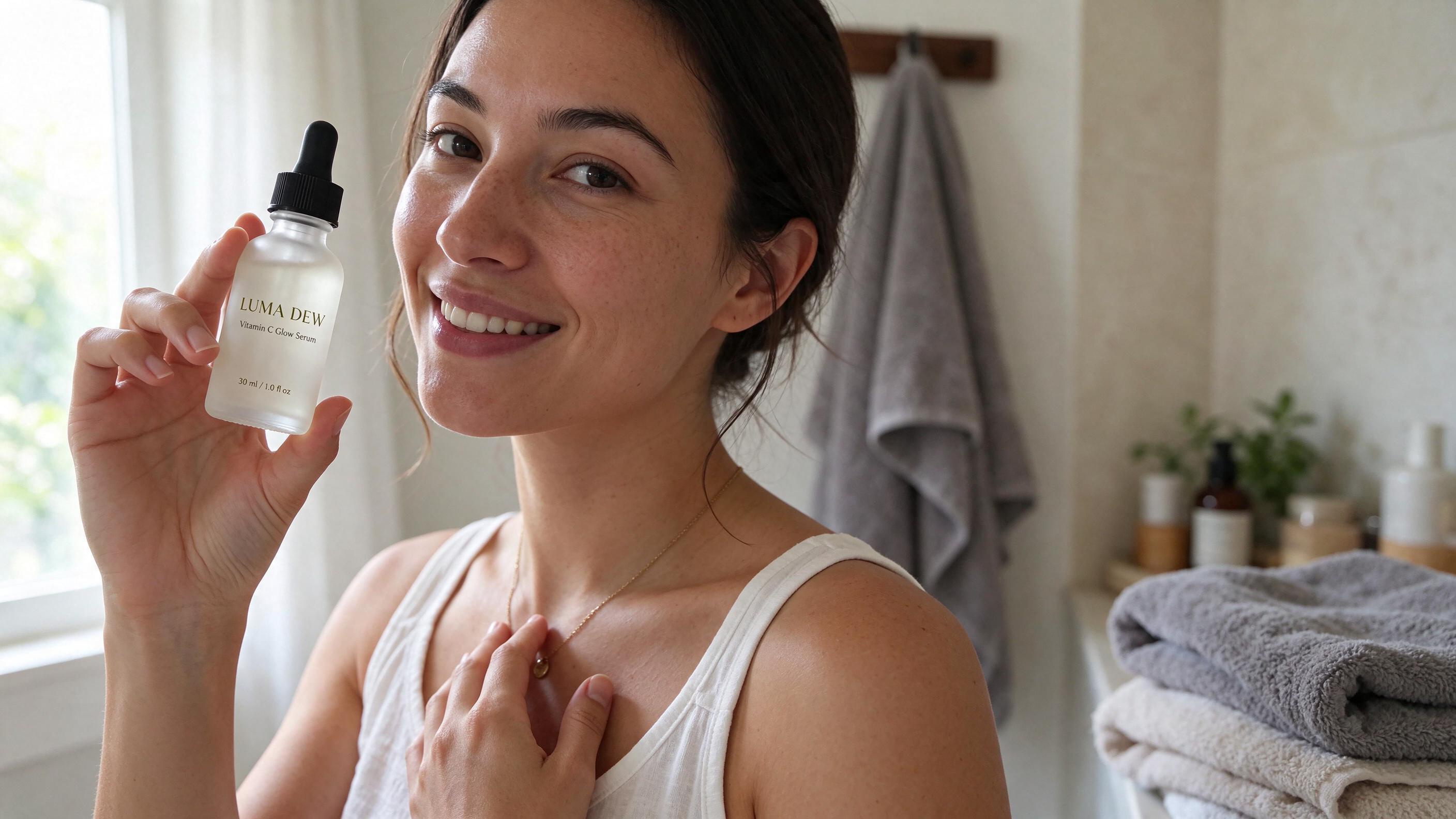
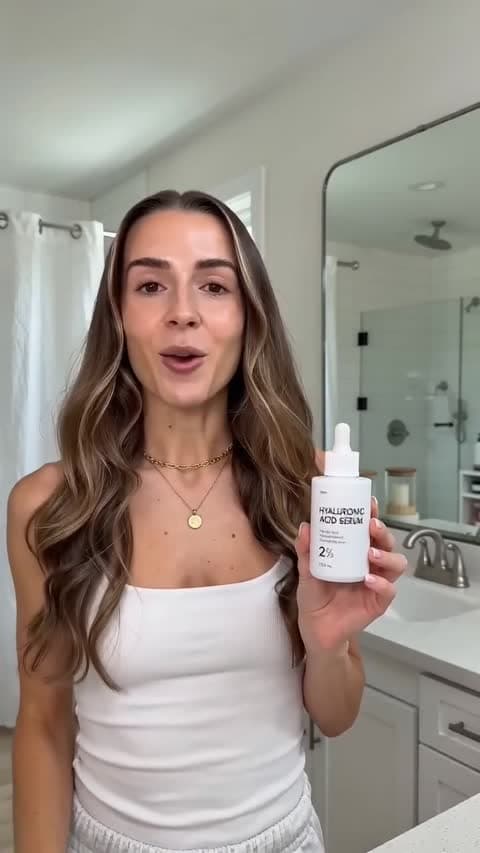
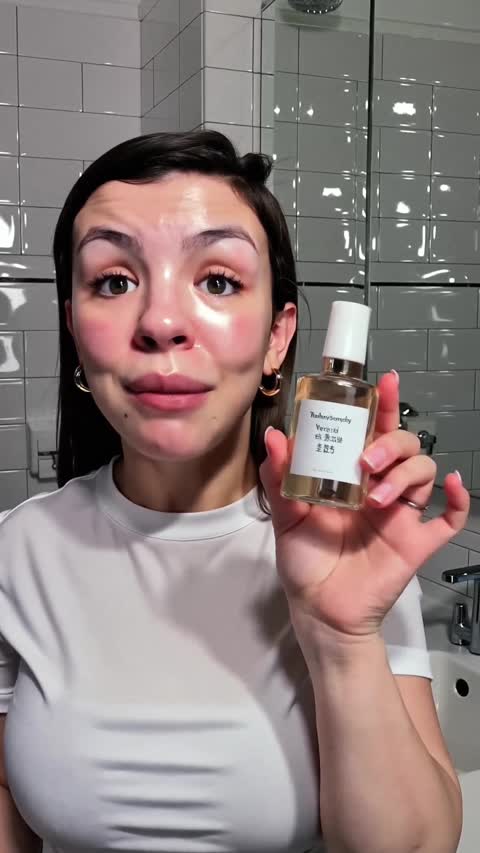
Why this model
Ingredient panels, price tags, menu boards and headline copy come out spelled the way you typed them. That makes it a model for finished statics and packaging mockups as well as mood shots.
Ask for the product on a transparent background and you get a PNG with a real alpha channel, edges included. No background remover, no masking pass before it goes into a layout.
Feed a result back in and change one thing at a time: the color, then an accessory, then the backdrop. The face, pose and framing you liked stay where they were.
Text rendering
Each image below is a single Seedream 5.5 generation with no retouching. The prompt under each one is the exact text we sent.
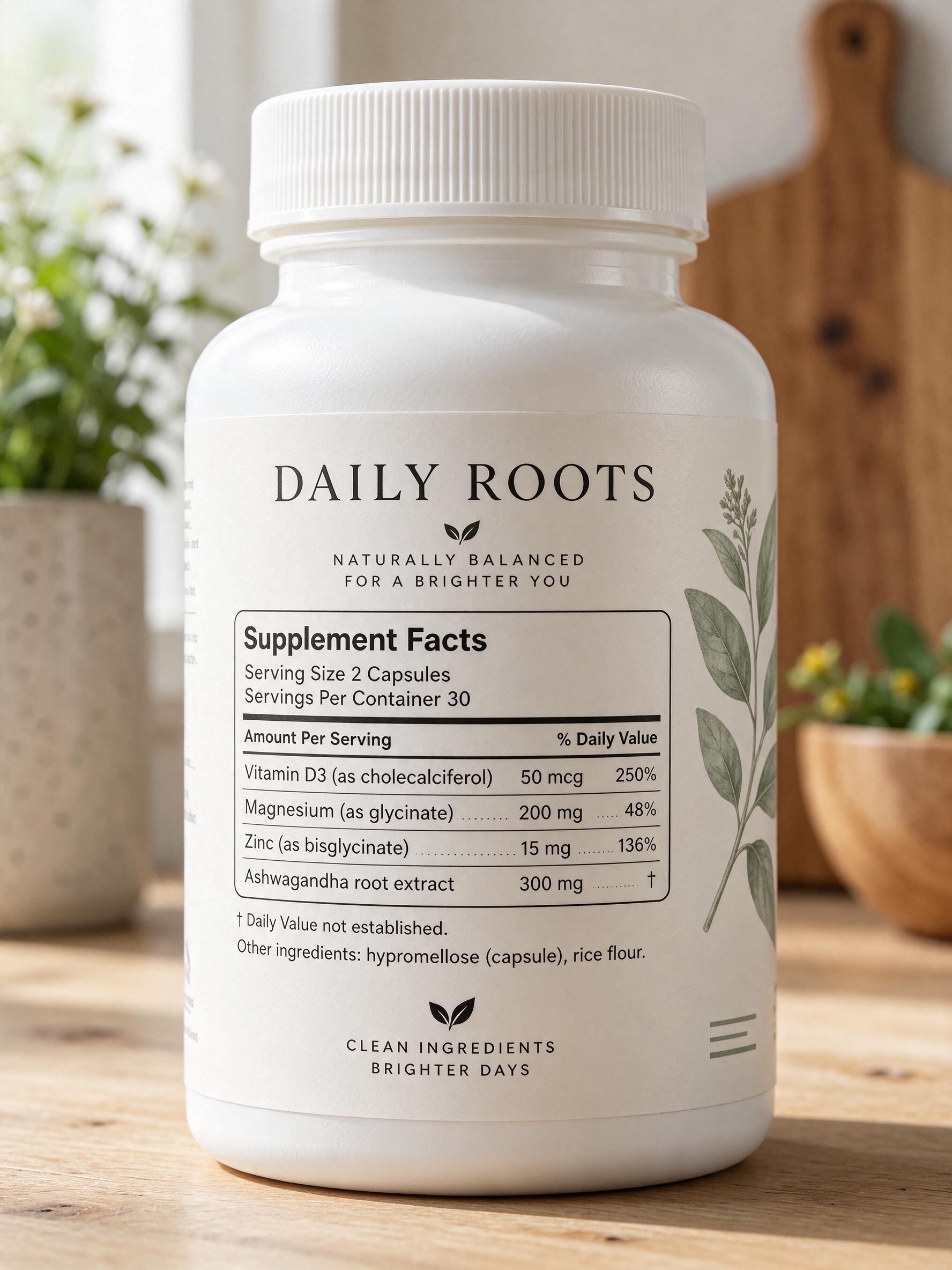
Four nutrient rows, daily values and the footnote, all as written in the prompt.
Close-up product photo of the back of a white supplement bottle on a light wooden counter, the full label filling most of the frame and perfectly legible. At the top: "DAILY ROOTS". Then a black-bordered panel titled "Supplement Facts". Under it: "Serving Size 2 Capsules", "Servings Per Container 30". A table with columns "Amount Per Serving" and "% Daily Value", with rows: "Vitamin D3 (as cholecalciferol) 50 mcg 250%", "Magnesium (as glycinate) 200 mg 48%", "Zinc (as bisglycinate) 15 mg 136%", "Ashwagandha root extract 300 mg †". Below the panel: "† Daily Value not established." and "Other ingredients: hypromellose (capsule), rice flour." Small crisp print, soft daylight, shallow depth of field at the edges only.
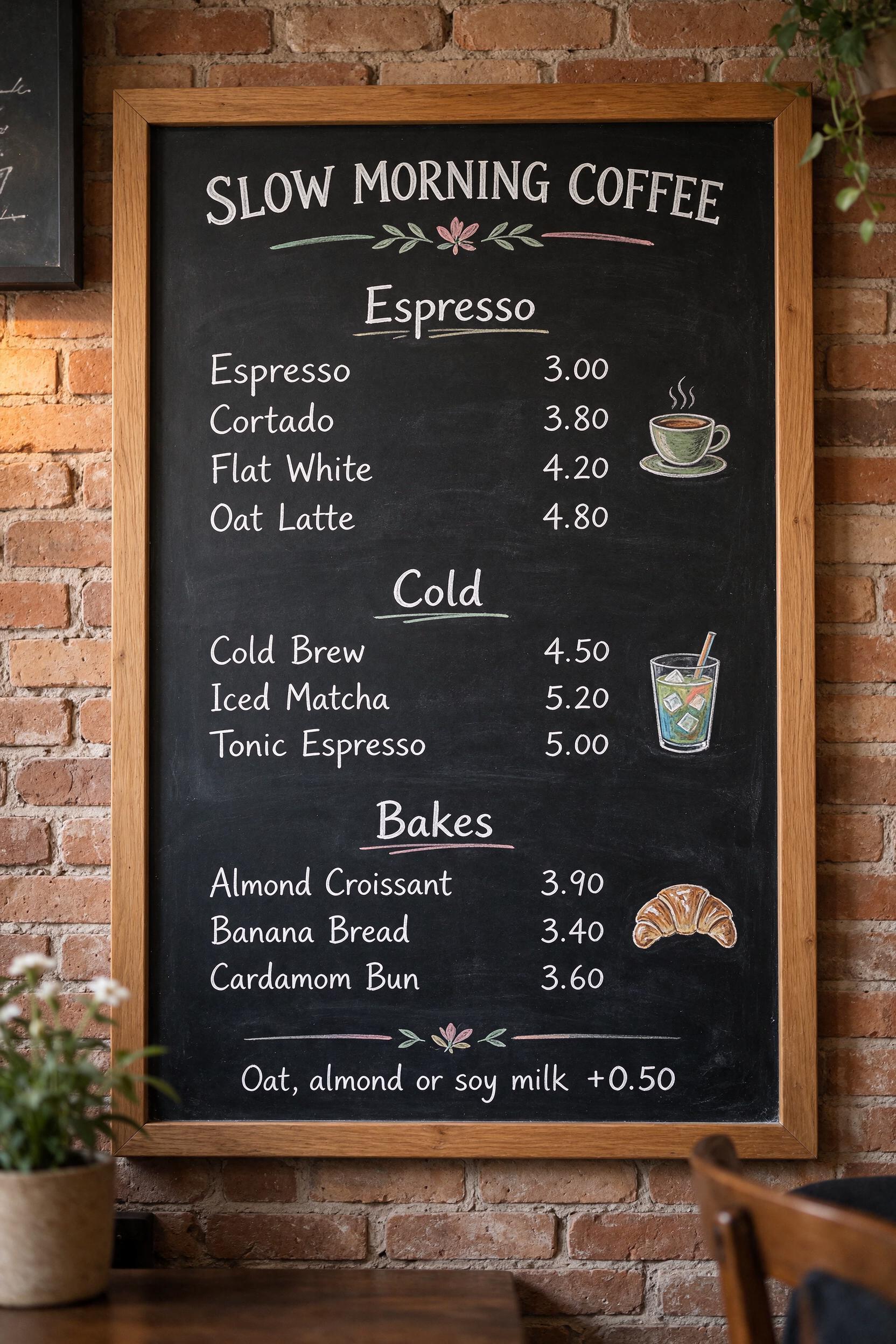
Ten items and prices in three sections, hand-lettered.
Photo of a cafe chalkboard menu mounted on a brick wall, hand-lettered in white and pastel chalk, every line legible. Title at the top: "SLOW MORNING COFFEE". Section "Espresso" with lines: "Espresso 3.00", "Cortado 3.80", "Flat White 4.20", "Oat Latte 4.80". Section "Cold" with lines: "Cold Brew 4.50", "Iced Matcha 5.20", "Tonic Espresso 5.00". Section "Bakes" with lines: "Almond Croissant 3.90", "Banana Bread 3.40", "Cardamom Bun 3.60". Small note at the bottom: "Oat, almond or soy milk +0.50". Warm cafe light, a small potted plant at the corner.
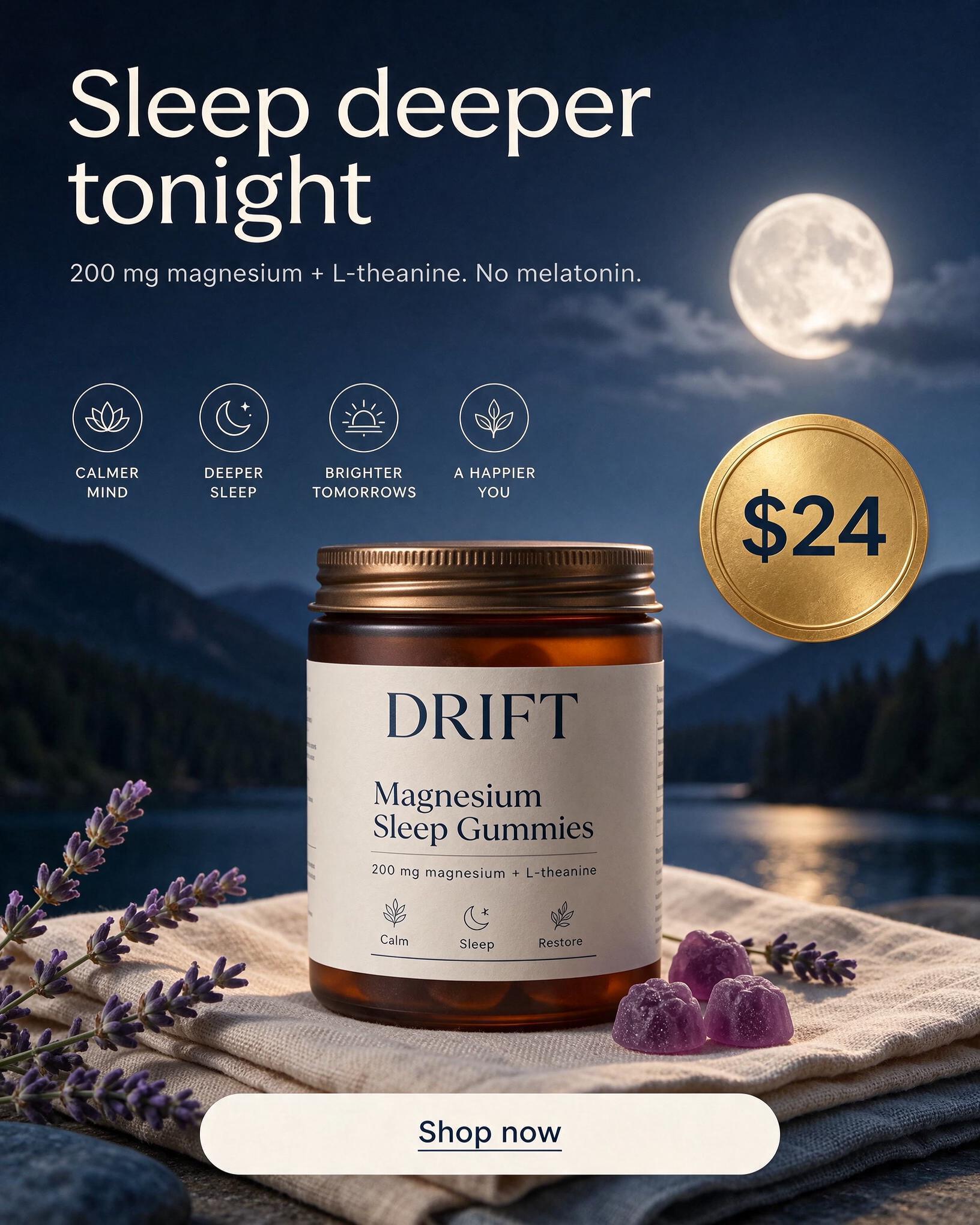
Headline, subline, price badge and button in one generation.
Finished Meta feed ad, 4:5, for a magnesium gummy brand. Deep navy background with a soft moonlit gradient. A frosted amber jar labelled "DRIFT" with "Magnesium Sleep Gummies" underneath sits on a stack of linen, a few lavender-colored gummies scattered beside it. Large clean sans-serif headline at the top in off-white: "Sleep deeper tonight." Below it a smaller line: "200 mg magnesium + L-theanine. No melatonin." A round gold badge on the right reads "$24". A rounded off-white button near the bottom reads "Shop now". Polished, legible typography with even spacing.
Quote every word
Type the exact words in quotation marks, such as “Cold Brew Oat Latte”. Quoted text is the text the model renders.
Say where it sits
“On the can, below the brand name” or “bottom center button” keeps each line in its place.
List elements separately
Give the headline, the price and the ingredient list a sentence each, in the order they appear.
Transparent output
Both PNGs were generated with the subject already isolated. Shown on a checkerboard and dropped onto a brand color to prove the edges hold.
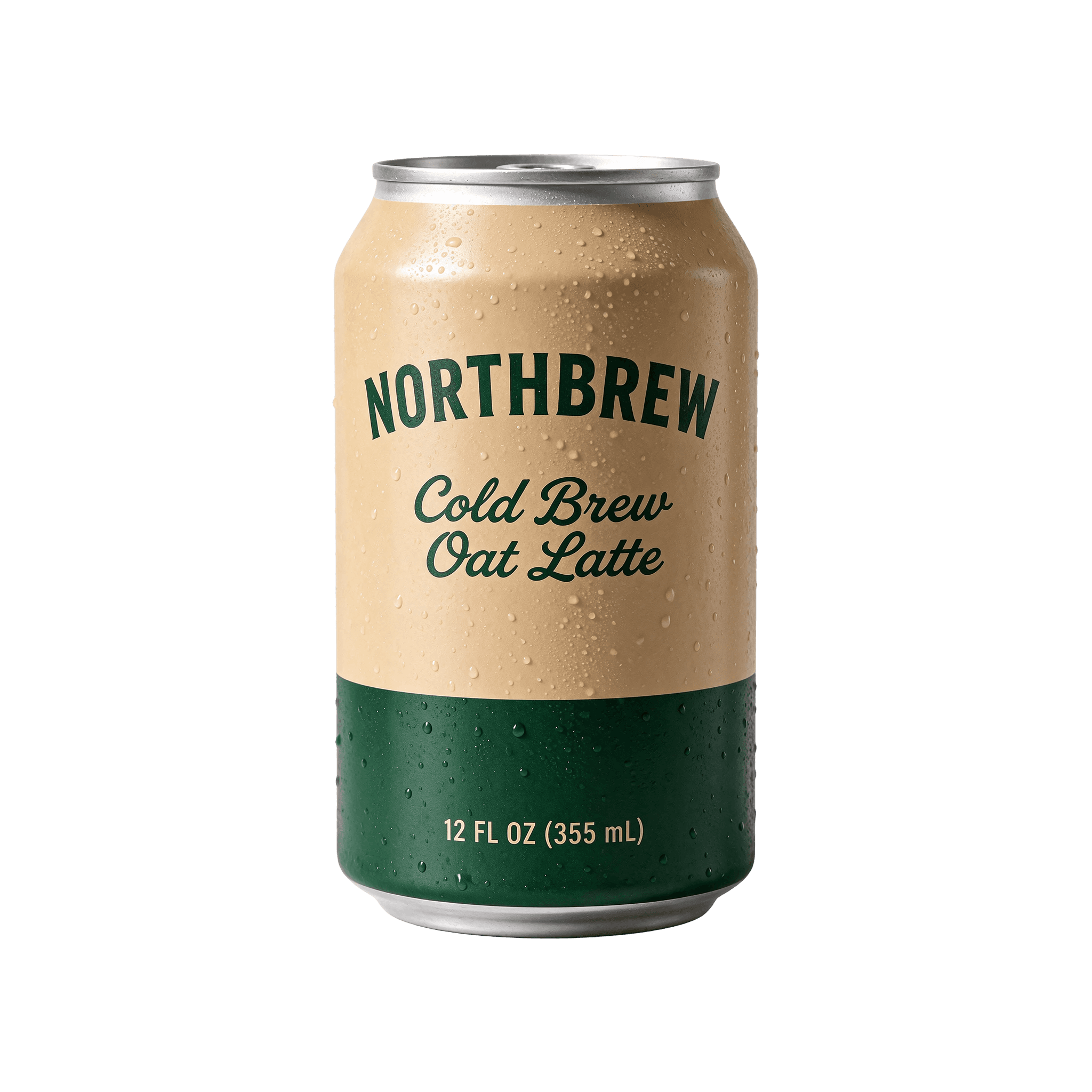
Commercial product photo of one slim aluminium drinks can, standing upright, centered, slight three-quarter angle. Matte sand-colored can with a deep green band. Printed text, top to bottom: "NORTHBREW" in bold condensed capitals, "Cold Brew Oat Latte" in a script font, "12 FL OZ (355 mL)" small at the bottom. Fine condensation droplets, crisp studio highlights, every letter sharp. Isolated on a fully transparent background, clean edges, no surface, no shadow, no backdrop.
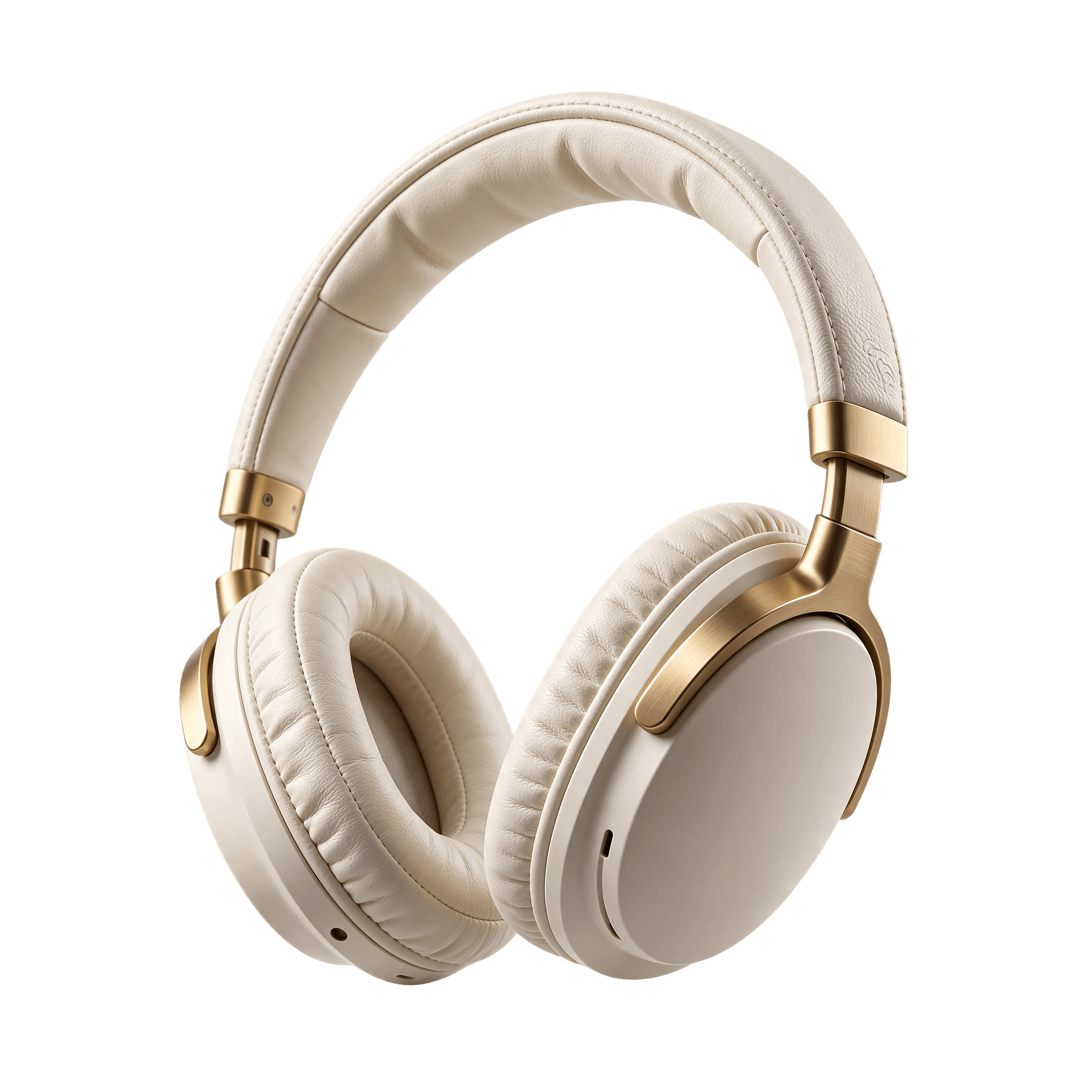
Studio product photo of a pair of over-ear wireless headphones in matte cream with brushed brass sliders and soft cream ear cushions, floating at a three-quarter angle, the headband curving gracefully. Fine leather grain and stitching visible, realistic materials, premium tech brand look. Isolated on a fully transparent background with clean cutout edges, no surface, no cast shadow, no backdrop, no text.
Multi-step editing
Each edit used the previous image as its only reference and a one-line instruction. Face, pose, knit pattern, trousers and lighting carry through both passes.
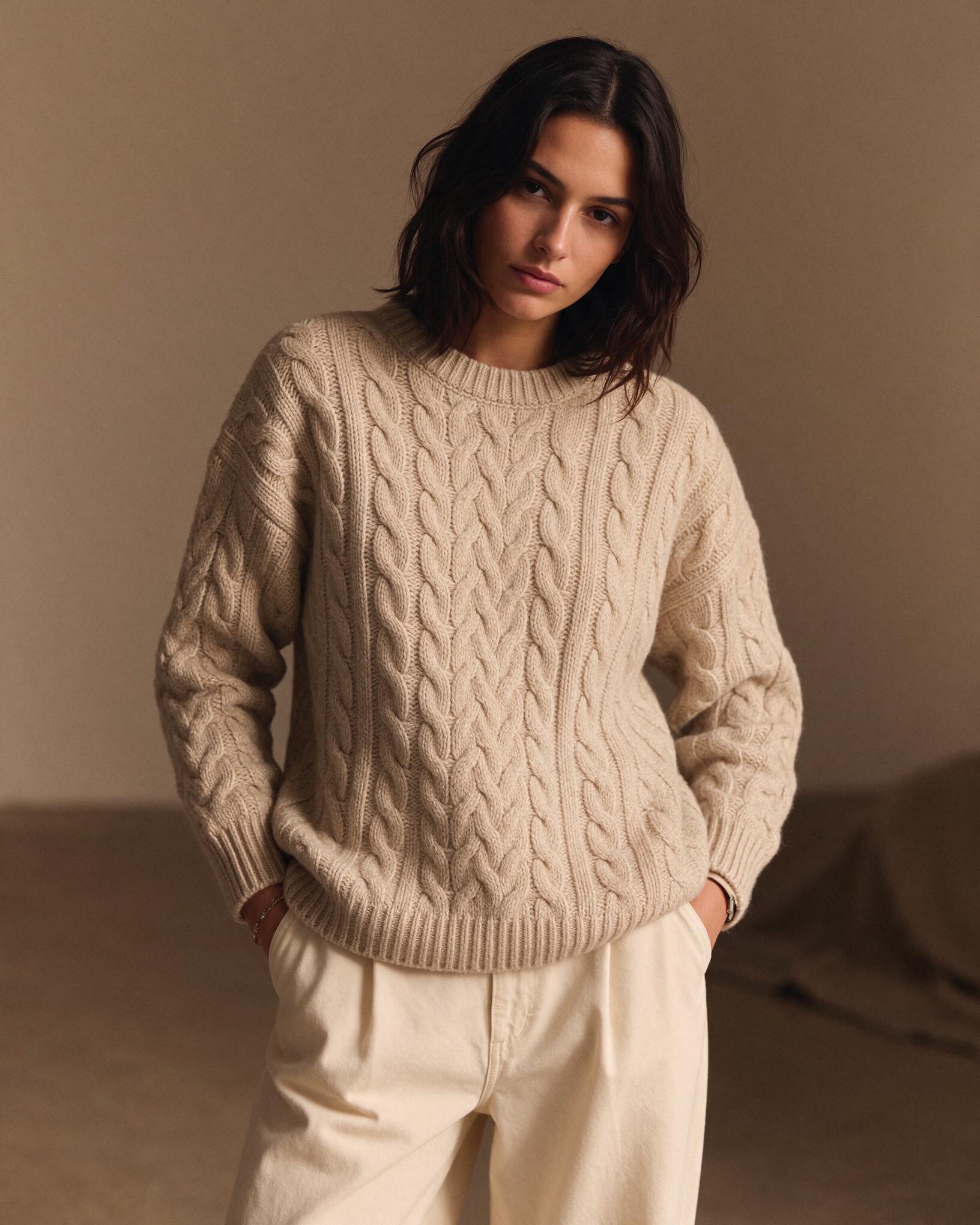
Start
Oat cable-knit sweater, cream trousers, beige studio.
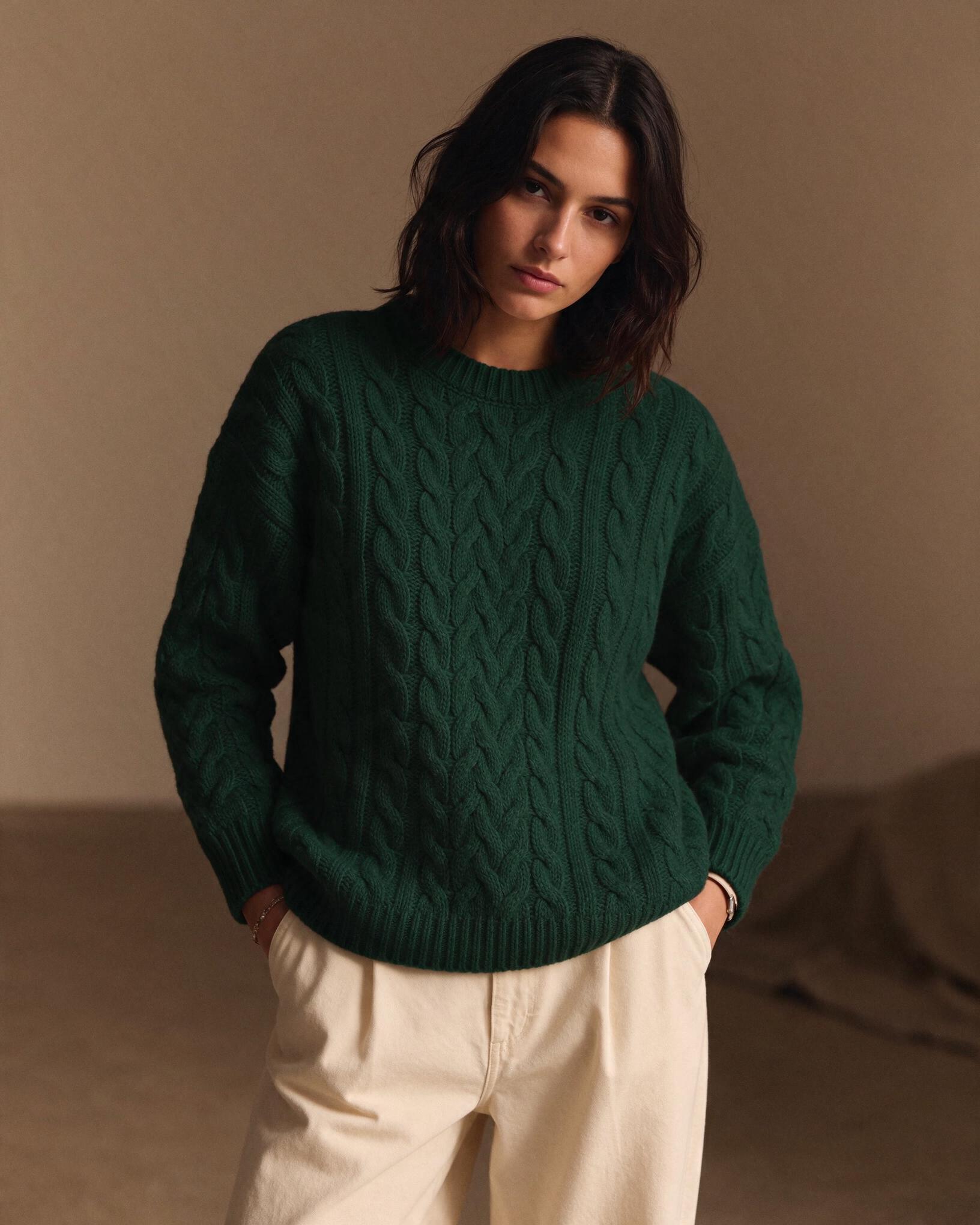
Edit 1
“Change the sweater color to deep forest green.”
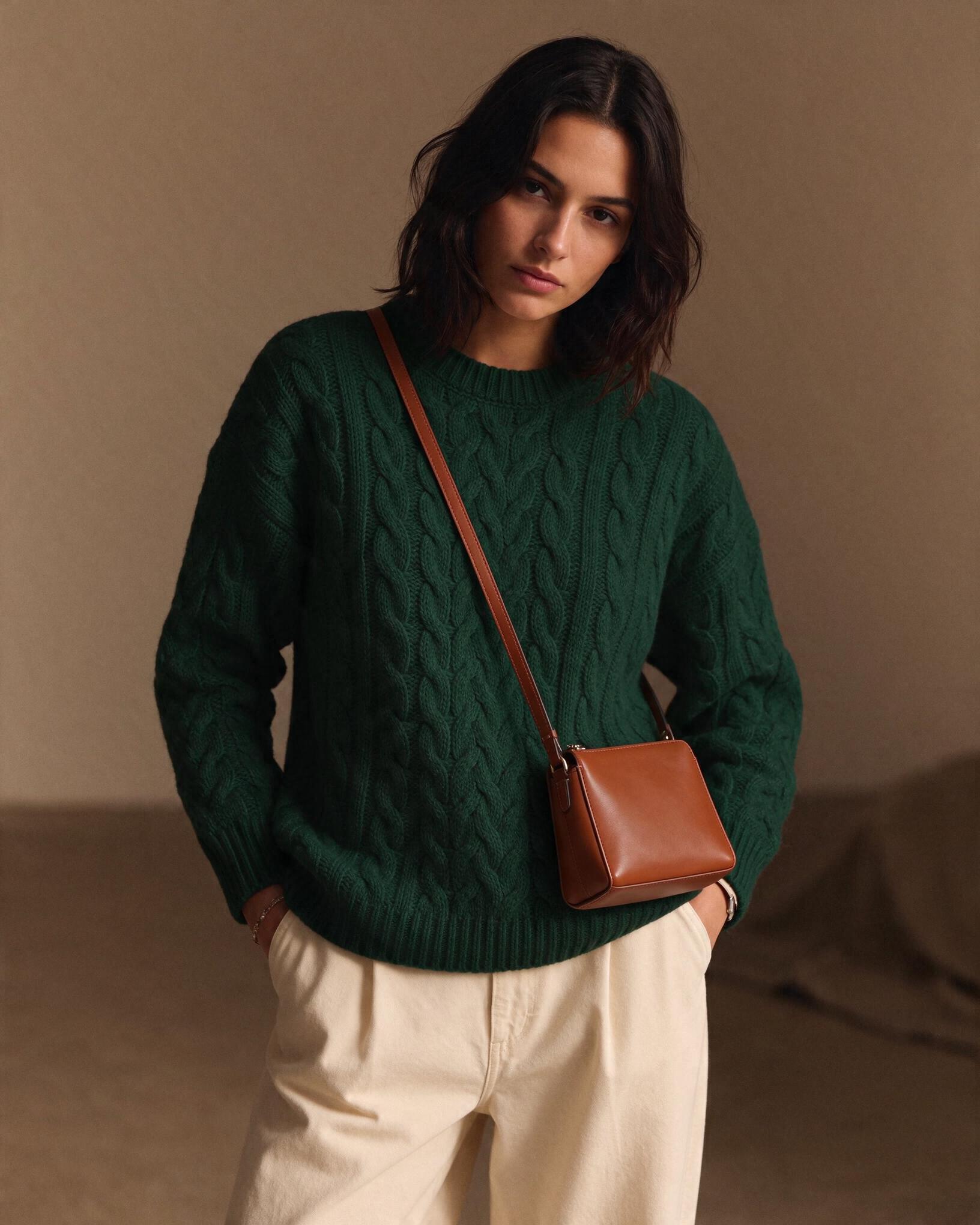
Edit 2
“Add a small cognac leather crossbody bag.”
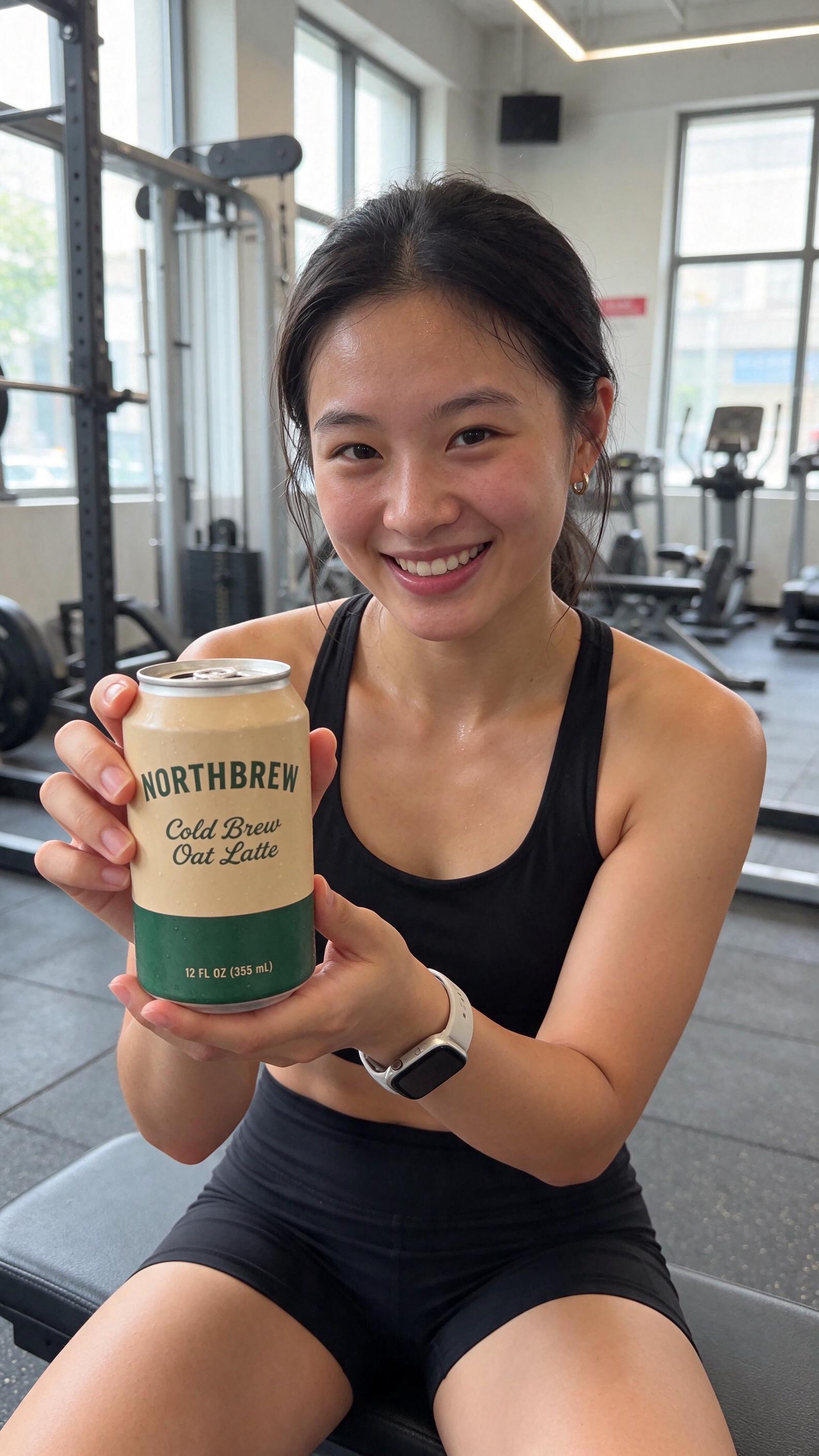
Reference images
The can on the left is the transparent PNG from above. Passed in as the only reference, it came back held by a creator in a gym, with the brand name, the script lettering and the 12 FL OZ line intact on the label.
Seedream 5.5 takes up to 10 references per image, so a product shot, a logo and a model's face can go in together. That is the shortcut for UGC-style statics when the product has to look exactly like the one you ship.
How to use it
01
Open the image tool, choose Seedream 5.5 in the model selector, then pick 1K for drafts or 2K for the final render in the ratio your placement needs.
02
Put every piece of on-image text in quotation marks and say where it goes: on the label, top-left headline, on the button. For a cutout, end the prompt with “on a transparent background”.
03
Attach up to 10 images of your product or model. To refine a keeper, use it as the reference and describe one change per generation.
Compared
Both are live in EzUGC. Here is what changed.
| Capability | Seedream 5.5 | Seedream 5.0 Pro |
|---|---|---|
| Transparent PNG output | Yes, ask for a transparent background in the prompt | No |
| Small and dense text | Built for labels, menus and posters | Text on images |
| Step-by-step editing | Keeps unedited areas stable across passes | Edits from reference images |
| Reference images | Up to 10 | Up to 10 |
| Sizes in the dashboard | 1K and 2K, 8 aspect ratios | 1K and 2K, 8 aspect ratios |
| Credits per image | None at 1K or 2K (daily image allowance) | None at 1K, 40 at 2K |
Specs
Pick 1K to iterate and 2K for the version that ships. Images are saved as PNG.
Product, logo, face and setting in one image.
Ask for a transparent background in the prompt.
Labels, menus, posters and price tags.
1K and 2K come out of the daily image allowance.
Where it fits
Most image models are fine until a static needs a real price, a product name or an ingredient list. Then the text melts into shapes that look like letters, and someone spends an hour fixing it in a design tool. Seedream 5.5 is the model to reach for when the copy is part of the creative: a sale banner, a packaging mockup for a pitch, a menu, a feed ad with a headline and a button.
The transparent output changes the production line too. A product cutout used to mean a generation, a background remover and a cleanup pass on the edges. Here it is one prompt, and the PNG goes straight into a carousel template, a marketplace listing or a video composite.
For pure mood and lighting, test it against Nano Banana 2.1 and Krea 2 Turbo on the same prompt and keep whichever image fits the ad. When you need 4K, move the winner to Seedream 4.5 or Nano Banana 2.1, since Seedream 5.5 tops out at 2K.
For creators getting started
For growing teams and power users
For brands who need more
Seedream 5.5 is ByteDance's image generation and editing model, released on November 9, 2026. It follows Seedream 5.0 Pro and adds native transparent output, stronger rendering of small and dense text, and more stable multi-step editing. On EzUGC it sits in the image model selector next to Seedream 5.0 Pro and Seedream 4.5.
Write the headline, the price and the label text into one prompt and get back an ad that is ready to test.